Home Document
⌘K
Version 1.1

Updates

API and Security Updates

We've added several API and security enhancements focused on improving visibility, security, and overall API usability.

New API Endpoints
Added endpoints for Workflow Logs, Active Sessions (including session termination), and File Logs (including file deletion).

Import and Export Security
Import and Export operations now fully respect Row Level Security policies. If a user's policy does not permit access, the API will automatically block the request.

Simplified API Endpoints
We've added shorter aliases for connected and related record endpoints while maintaining compatibility with existing API paths.
Workflow Updates

We've continued making improvements to Workflows focused on reliability and ease of configuration.

Composite Field Support
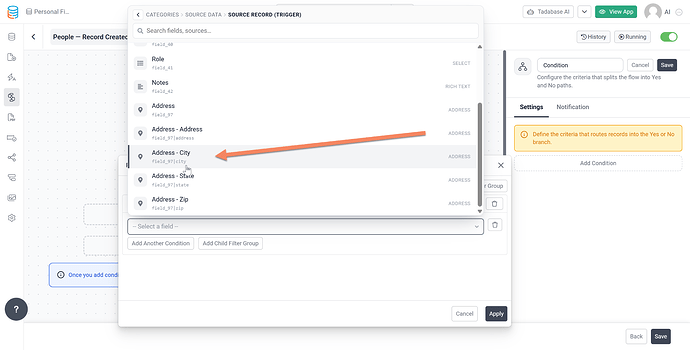
Composite fields now work throughout workflows, including condition filters and field mappings, making it easier to work with fields such as Name and Address without additional workarounds.

Smarter Connected Field Validation
When a workflow attempts to pull values across multiple connection levels, you'll now receive guidance to use a Lookup Records step instead.

This helps prevent configuration issues and makes troubleshooting easier.

API and Security Updates

We've made several improvements to our API and security infrastructure to provide greater visibility, stronger access controls, and improved performance.

User Profile and Permissions API
New /me endpoints allow you to:

  • Retrieve the logged in user's profile
  • Update the logged in user's profile
  • Generate detailed permissions reports across tables, records, fields, and security policies

Row Level Security Performance Improvements
Additional caching and optimization layers have been added to improve the performance of Row Level Security policies and permission checks.

Security Enhancements

  • Import and Export templates now fully respect security policies
  • New role-based permissions have been added for API logs
  • Delete Record API actions now integrate with Row Level Security auditing for improved traceability

Records, Forms and Data Table Enhancements

We've added several enhancements to improve how records are created and managed.

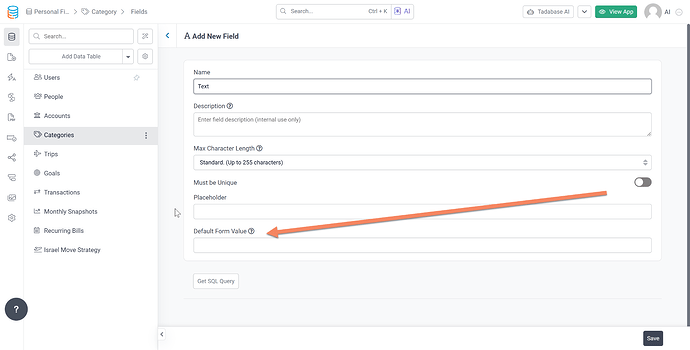
Default Record Values
You can now define default values for supported field types, allowing new records to start with pre-filled information.

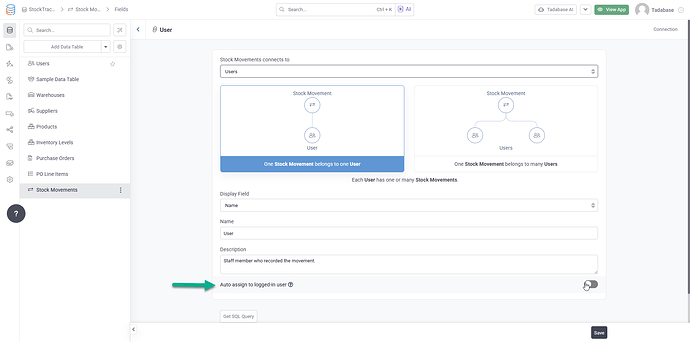
Logged In User Relationship Defaults
Connection fields can now automatically populate related values through the logged in user's existing relationships.

Expanded Auto Timestamp Support
Auto timestamp labels are now available for additional field types, making it easier to track record activity and changes.

Import and Export Improvements
We've improved import and export templates and expanded support for connected records to simplify working with relational data.

Workflow Updates

We've continued making improvements to Workflows, focused on visibility, usability, and flexibility.

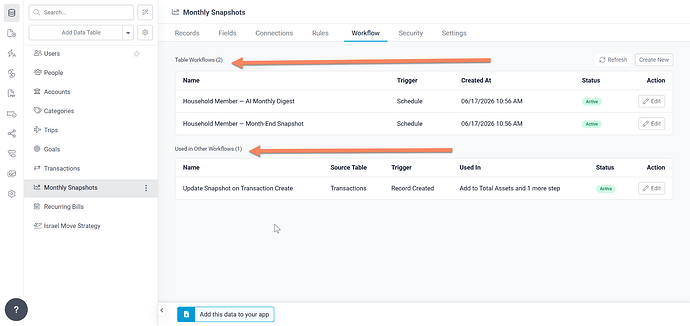
Workflow "Used In" View
The Data Table → Workflow tab now includes a new Used in Other Workflows section, making it easier to identify every workflow that references a table.

You can now:

  • View all workflows that depend on a table in one place
  • Jump directly to the relevant workflow step using deep links
  • Receive warnings before deleting a referenced table

Improved Data Support

  • Join Fields now display and save the display value by default, with the option to use the Record ID when needed
  • Composite fields are now supported in workflow condition filters and field mappings

Workflow Reliability Improvements
We've also made a variety of stability improvements across workflow settings, actions, and configuration screens to provide a smoother workflow building experience.

Logged In User Defaults

We're introducing support for automatically defaulting User connection fields to the currently logged in user.

This makes it easier to:

  • Assign ownership of records automatically
  • Track who created or updated a record
  • Connect records to the current user without additional Record Rules or Workflows

By reducing the need for extra automation and configuration, app setup becomes simpler and easier to maintain.

Connected Record Import and Export Enhancements

We've added new capabilities to make working with connected records easier during imports and exports.

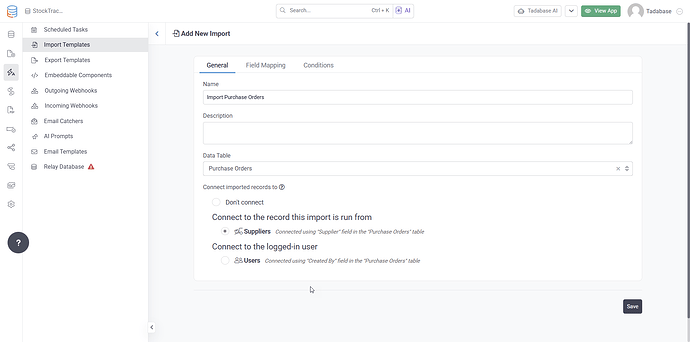
Import Directly to Connected Records
You can now import data directly into connected records, allowing relationships to be created as part of the import process.

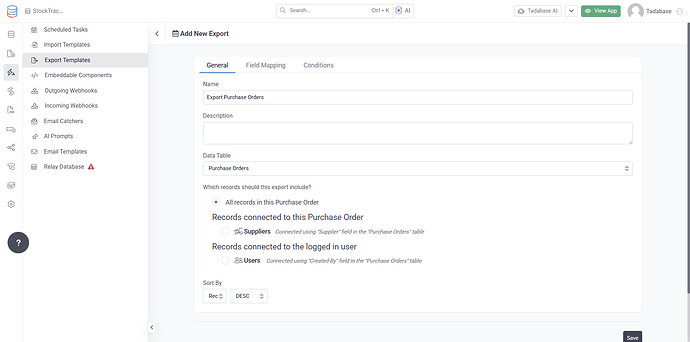
Export Connected Records
You can now export only the records related to a specific parent record or relationship.

This is especially useful when exporting records associated with a single Company, Project, or other parent record.

By moving this processing to the backend, exports are more reliable and can handle larger datasets without depending on browser based processing.

These enhancements simplify the management of relational data and improve performance for larger imports and exports.

Looper in Workflows

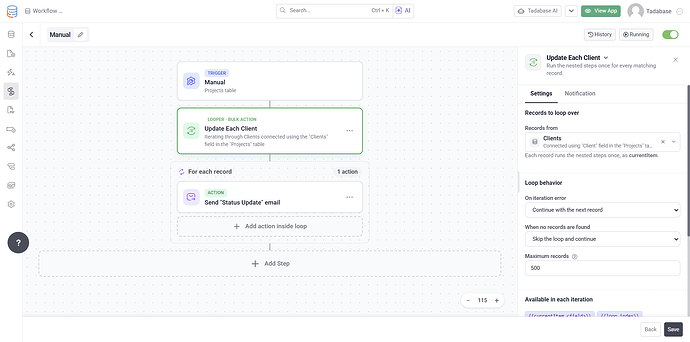
We're introducing Looper, a new workflow action that allows you to iterate through collections of records or data returned from previous workflow steps.

With Looper, you can:

  • Process multiple records within a single workflow
  • Iterate through lookup results
  • Run actions for each item in a collection
  • Build more advanced workflow logic without custom code

Common use cases include:

  • Sending messages or emails to multiple users
  • Updating a collection of records that meet specific criteria
  • Processing invoice line items and creating related records
  • Generating and distributing documents across multiple records

Looper expands what's possible within Workflows while keeping the experience visual and easy to manage.

Incoming Webhooks as a Workflow Trigger

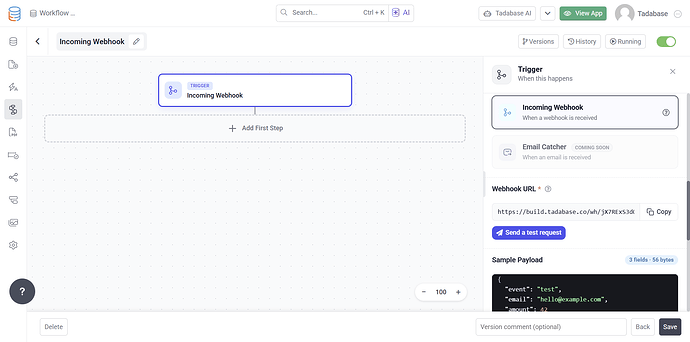
We're adding support for Incoming Webhooks as a native Workflow trigger, making it easier to build integrations and automations directly within Workflows.

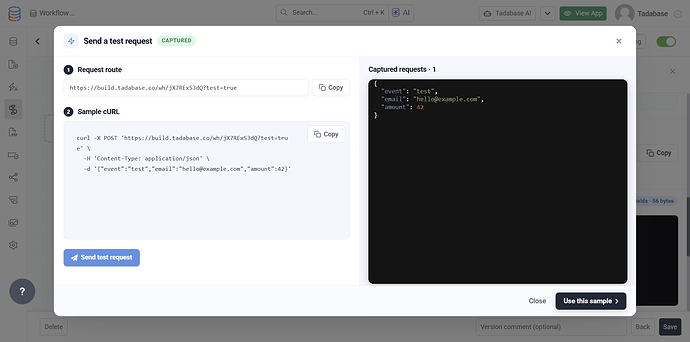
Simply create a workflow using the Incoming Webhook trigger, send a sample request, and use the captured payload throughout subsequent workflow steps.

Key capabilities include:

  • Native Workflow integration
  • Testing requests directly from the workflow editor
  • Automatic payload capture and inspection
  • Access to webhook data throughout the workflow

This provides a more streamlined way to handle inbound data from external systems and APIs.

Real Time Equation Improvements

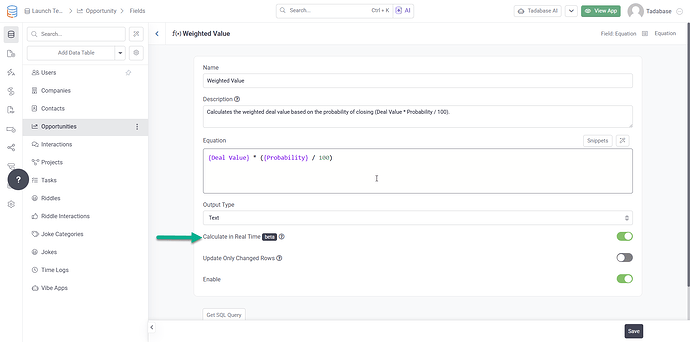
We've made significant improvements to the Calculate in Real Time option for Equation fields to improve reliability, performance, and visibility.

What's improved:

  • Clear validation and error messages when equations cannot be converted
  • Automatic rollback protection if a conversion fails
  • Improved handling during imports, restores, and app copies
  • More transparent backup reporting for partial backups
  • Background processing for large table conversions
  • Smarter save behavior to avoid unnecessary table rebuilds

These improvements make real time equations more reliable and easier to manage across a wider range of use cases.

Search Results